A western blot, analyzed in Phoretix 1D
A 58-second loop of the analyst's workflow, from opening the image file to a finished report and a template the whole team can share: lane detection, background subtraction, band detection, molecular weight, band matching and dendrograms, densitometry and normalization.
Western blot and 1D gel analysis, from lanes and molecular weight to normalization, band matching and dendrograms, with a PDF report in under a minute per image, saved as a template for any site.
Start a free trial at totallab.comYour software won’t do what you need? Ask TotalLab.
1 / 8 · Open
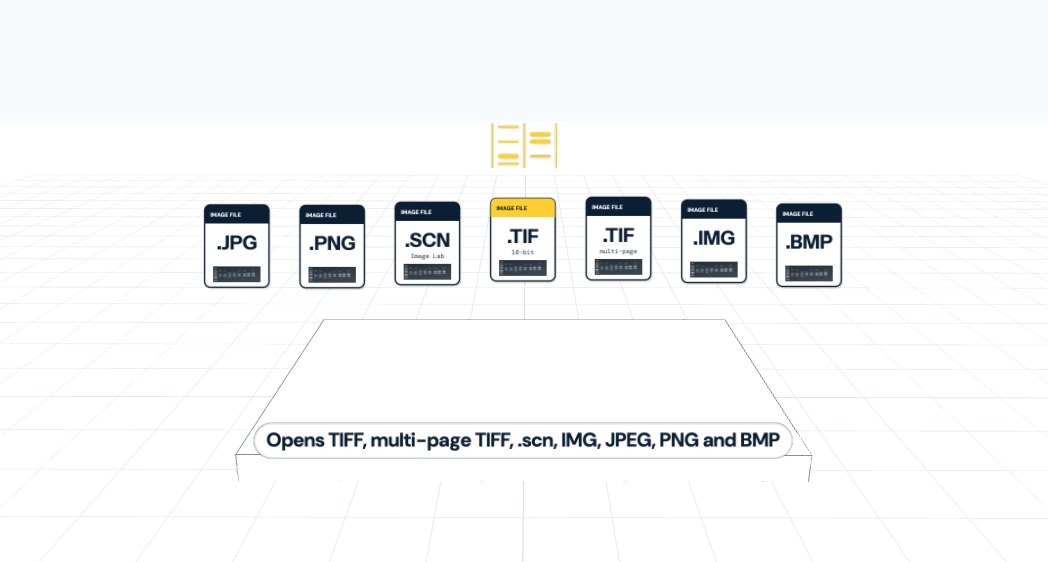
Open any common image format, see it in 3D.
TIFF, multi-page TIFF, .scn, IMG, JPEG, PNG or BMP. The 3D view shows band intensity as height.
Open the image
Open 16-bit and multi-page TIFFs and Bio-Rad Image Lab .scn files natively, plus IMG, JPEG, PNG and BMP, saved from any industry-standard imager or scanner. A 16-bit TIFF or the imager's native file is best for quantification. Check the image in the 3D view, where intensity is shown as height, and crop, rotate or adjust contrast without losing the image metadata.
Lanes
Lanes are detected automatically in seconds, including curved and empty lanes. Use several lane boxes for multi-tier gels or more than one blot per image, and adjust any lane by hand.
Background and bands
Choose rolling ball, rubber band, lane edge or another background method, per lane and per channel. Bands are detected automatically and can be added, split or removed by clicking the image or the lane profile.
Molecular weight
Pick a ladder from the built-in library of commercial ladders or your own template, join ladder lanes to correct distortion, and choose the curve fit. Every band gets a size.
Band matching and dendrograms
Match bands between lanes to identify lanes with the same band pattern, then cluster samples into neighbor-joining or UPGMA dendrograms from Dice similarity, for fingerprinting and typing.
Quantify and normalize
Densitometry from optical density or intensity, normalized to a reference band, several reference bands, total lane volume or a housekeeping channel.
Report
Export a PDF report, save measurements as CSV or copy them to the clipboard. Results in less than a minute per image.
Share the analysis as a template
Save your exact analysis, from lane settings and background method to ladder, curve fit and normalization, as a template and send it to colleagues on site or at another site. Tech transfer between labs is faster, new staff are trained on the same method from day one, and results stay consistent between operators.
Try Phoretix 1D free on your own images, on Windows, macOS or Linux. Working in a regulated lab? A 21 CFR Part 11 compliant edition is available, and AuditSafe adds audit trails and electronic signatures.
Start free trial