Automated 1D Gel & Western Blot Analysis Software | Phoretix 1D

Phoretix 1D-White
Click Here For Your Free Trial!

Automate Your Gel and Blot Analysis Workflows

Over the past twenty years, TotalLab has been at the forefront of 1D SDS-PAGE and Immunoblot quantification software – producing incredibly popular legacy products as TotalLab Quant, GelQuant, ImageQuant, TL100, TL120, TotalLab 1D and CLIQS.

Phoretix 1D represents the next evolution of automated 1D SDS-PAGE and immunoblot analysis, it offers:

  • Universal Compatibility:  Compatible with fluorescence, chemiluminescence, colorimetric, and functional group-specific stains. Supports all industry-standard scanners and image formats, including TIFF, IMG, JPEG, PNG and BMP files.
  • Speed. Automate your entire analysis and get results in less than a minute per image.
  • Objectivity. Unmatched automation reduces the need for manual intervention and minimizes inter-operator variability.
  • Reproducibility. Consistent analysis results between different users, labs and different imaging devices.
  • Quantitation. Enables reliable, accurate quantitation of gel and blot images.
  • 21 CFR/GMP-Compliance. When combined with our AuditSafe software, allows users to meet and even exceed FDA 21 CFR part 11, EudraLex Annex 11, GAMP4 or more general GMP standards/ALCOA principles for compliance within regulated or QC/QA environments, from captured image all the way through to final analysis and report production.

TotalLab software is fully compliant with FDA 21 CFR Part 11, EU Annex 11, and GMP regulations, ensuring regulatory readiness for pharmaceutical and life science applications

Phoretix 1D is compatible with the latest versions of Windows (currently Windows 11), macOS operating systems (up to and including Ventura and both Intel and Apple M-series processors), Linux and ARM-based PCs

Our Phoretix 1D software is trusted by the world’s leading educational, industrial and pharmaceutical companies:

Gel and blot analysis software for life sciences

"After having used many other software for gel image analysis, including Bio-Rad's Image Lab and ImageJ, I started using Phoretix 1D out of necessity in a new role. I found it to be much more intuitive and streamlined than what I’ve used in the past. Background subtraction, band picking, and band analysis are all automated with optional manual adjustment if desired."

Garry Smith, Proliant Health and Biologicals

Simple, Automated, Reproducible Workflow

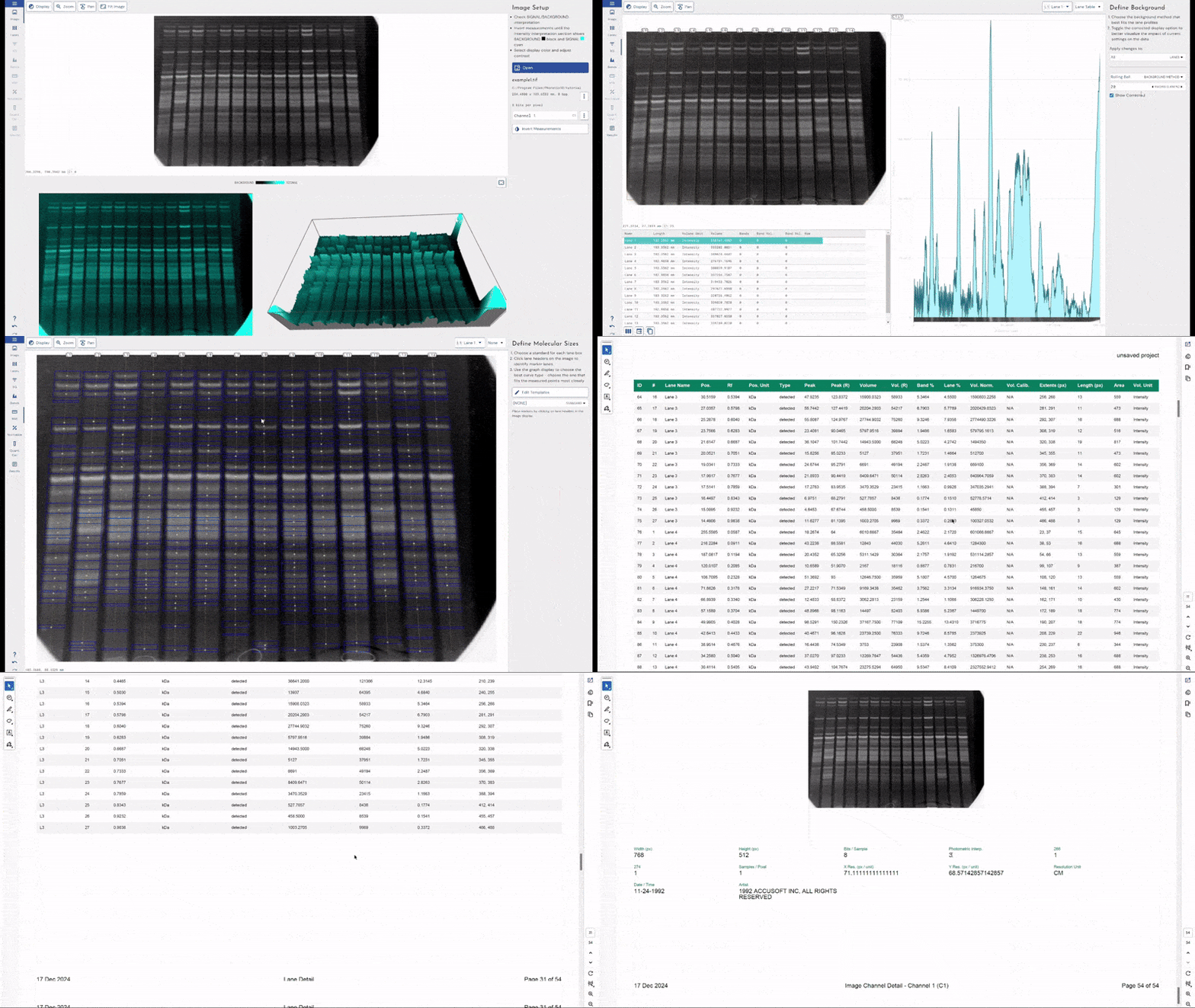
Phoretix 1D doesn’t try and force you into a specific workflow or to perform your analysis in a certain order or way, rather it simply provides all the tools you may require for 1D gel or blot analysis straight away in an easy to use format. You know your experiment much better than any software ever could.

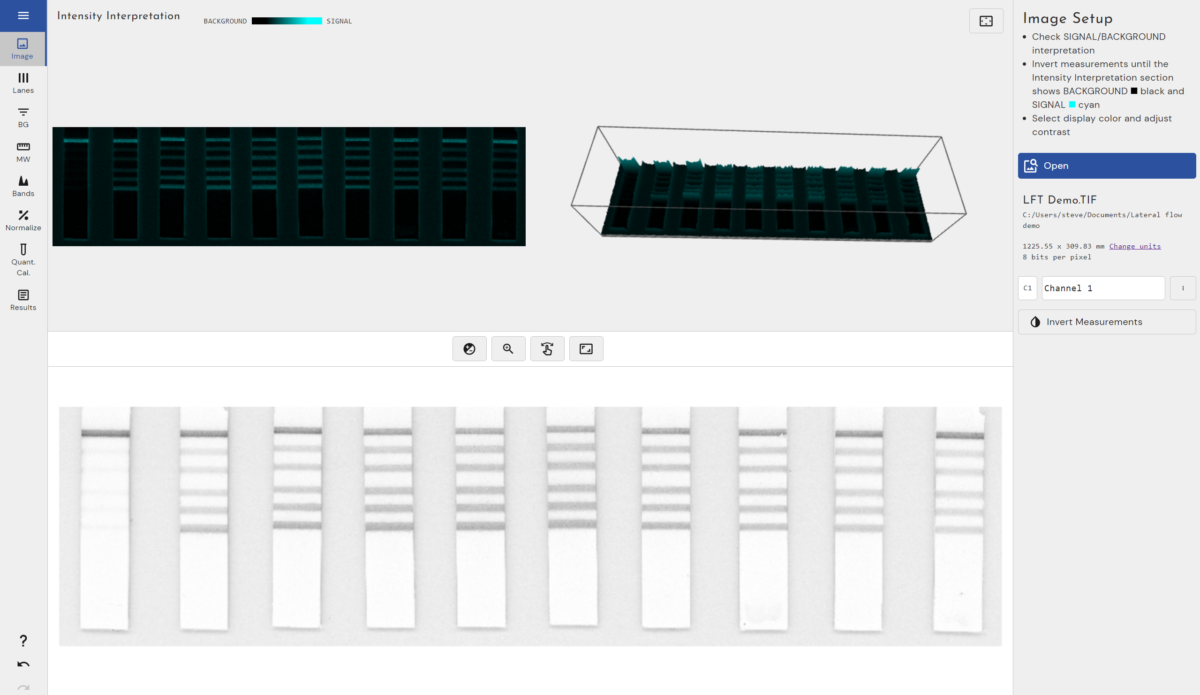
Easily Import Your Images:Phoretix 1D Image Import

  • Open your images straight into Phoretix 1D to start analyzing, the software supports TIFF, IMG, JPEG, PNG and BMP files


Phoretix 1D Image Editing

Edit Your Images:

  • If needed, edit your images directly in Phoretix 1D, all whilst preserving the .TIFF metadata associated with the image (calibration information, pixel density, scanner information and settings etc.)
  • Crop, adjust contrast, flip, or rotate your images to get the best image for analysis


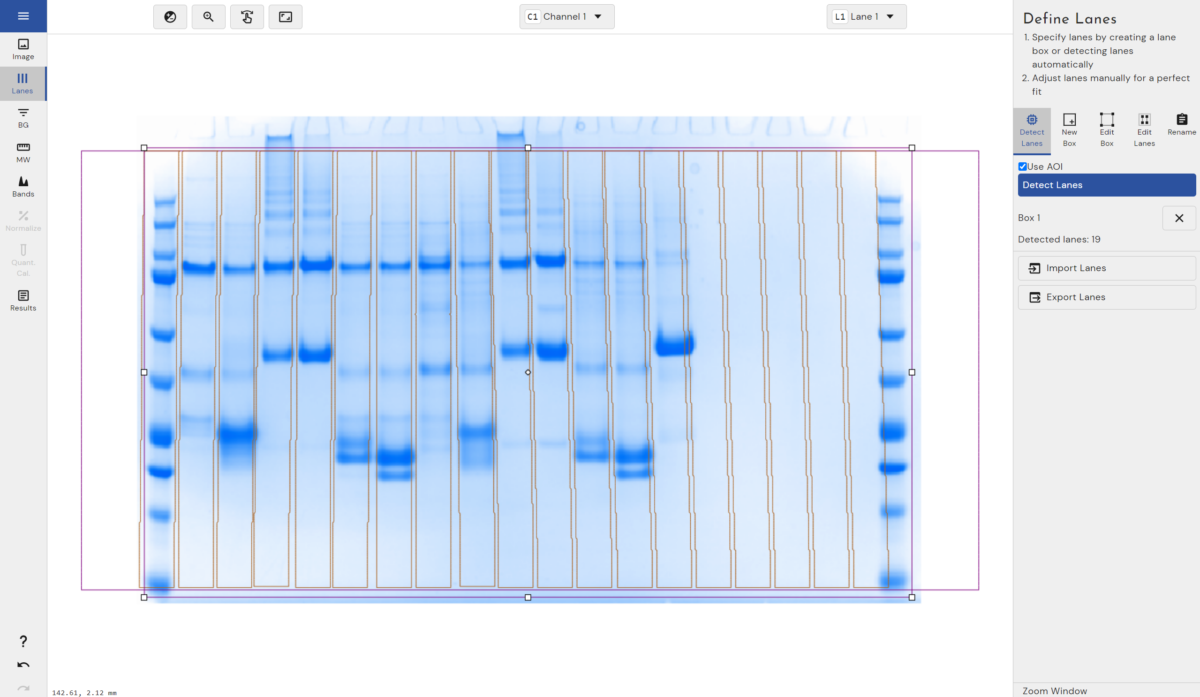
Phoretix 1D 1D SDS-PAGE Automatic Lane Detection

Automatically or Manually Detect Your Lanes:

  • TotalLab’s industry leading, next-generation automatic lane detection accurately detects lanes in seconds, even wonky lanes or empty lanes.
  • Multiple lane boxes are also supported for multi-tier gels or for the simultaneous analysis of multiple blots or gels in a single image.
  • Customize the number of lanes or lane boxes, and even the shape of each box and lane for the most accurate analysis for each image.


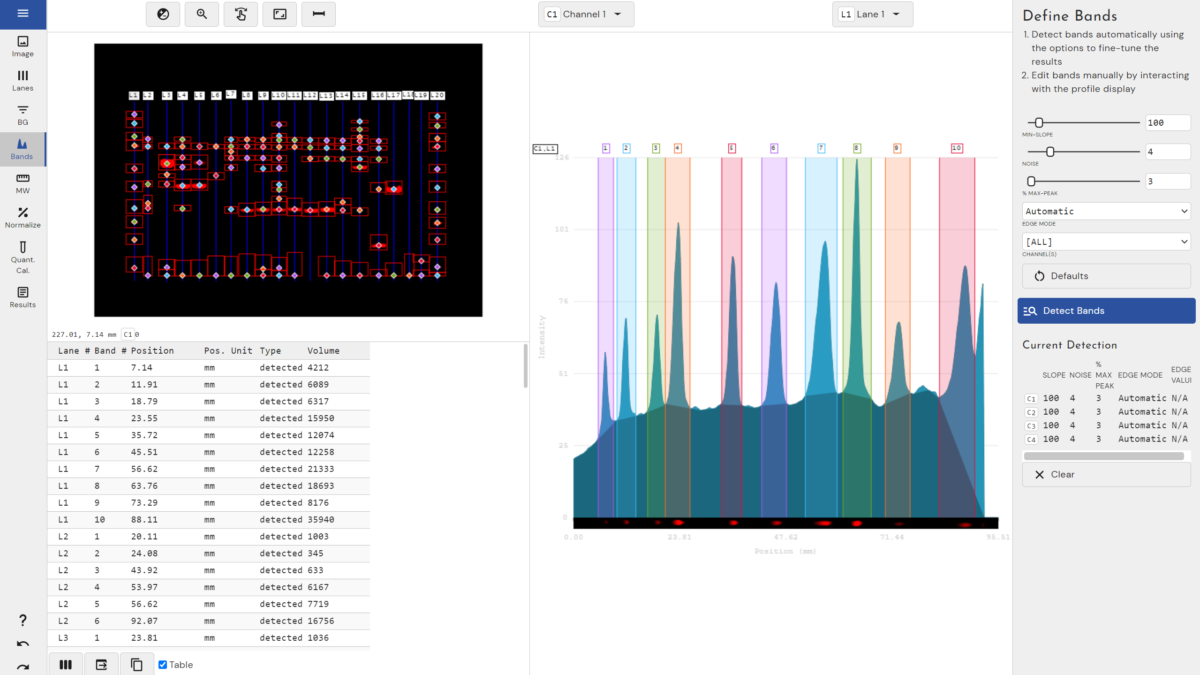
Phoretix 1D SDS-PAGE Automatic Band DetectionAutomatically Detect Your Bands:

  • Phoretix 1D employs in-house developed automatic band detection techniques to detect bands in seconds.
  • Users also have the option to define their own detection parameters to fine-turn it for their own experiments, even on a per-channel or per lane basis for multichannel images.
  • Manual band detection is also possible by either clicking on the image itself or the lane profile data to add, split or remove bands.


Phoretix 1D SDS-PAGE Background SubtractionEasily Subtract Background for Accurate Results:

  • Choose from several background subtraction methods, including rolling ball, image rectangle, fully manual and more with the ability to customize background subtraction for each individual lane and channel within your image.
  • Background subtraction allows for more accurate analysis, especially for certain situations such as multichannel images imaged at different wavelengths with differing background levels.


Use built-in Molecular Weight ladders or add your own:1D SDS-PAGE Molecular Weight Calculation

  • Phoretix 1D includes a library of commercial Molecular Weight (MW) ladders, but also supports users developing their own with customizable templates.
  • Running multiple ladder lanes on the same gel or blot? Phoretix 1D can intelligently join them to overcome gel running distortions increasing accuracy, especially when bands are located very closely to each other.
  • Multiple MW curve fitting types are supported – quadratic, linear log, exponential and more.
  • Calibration curves can be easily exported for reporting purposes or LIMS integration.


Normalize your data:1D SDS-PAGE Western Blot Normalization

  • Phoretix 1D supports multiple data normalization techniques depending on whether you’re using a single channel or multichannel image
  • For single channel images, bands can all be normalized to a user selected reference band (or the average of multiple reference bands) or the software can automatically identify the most intense band in your image and normalize all your other bands to it
  • For multichannel images, users can define specific channels to normalize to based on either total lane volume or a housekeeping channel


Phoretix 1D SDS-PAGE Quantification Gel DensitometryQuantify Your Unknown bands:

  • Also known as gel densitometry, if you’ve included at least 3 known standards within your experiment Phoretix 1D can accurately quantify the rest of your bands based on their optical density or intensity.


Export Your .PDF Report

Phoretix 1D 1D SDS-PAGE PDF Report

  • Phoretix 1D supports formal .PDF report export to summarize your work and store in a LIMS or other document management system.
  • It allows users to export all their measurements either directly to their clipboard or to a .CSV file for universal compatibility with further workflows.


"In our research laboratory, Phoretix 1D has proven to be a highly reliable and versatile tool for gel-based analysis. We routinely use it to evaluate enzyme activity in SDS-PAGE assays, where we assess substrate degradation over time. We also use it to quantify band intensities in Western blots following immunoprecipitation. Its intuitive interface and robust quantification capabilities streamline data analysis and enhance reproducibility across experiments. Phoretix 1D has significantly improved the efficiency of our protein studies and is now an integral part of our analytical workflow. We recommend it to other research groups seeking a dependable and fast solution for gel image analysis across a range of experimental applications."

Melisa Merdanovic, University Duisburg-Essen

So Why Choose Phoretix 1D?

We have distilled our decades of experience in the industry into our Phoretix 1D automated 1D gel and blot quantification software which has been developed in close collaboration with the pharmaceutical industries needs and feedback to deliver the highest-quality data in the shortest amount of time with the lowest inter-operator variability possible.

Analyse a Huge Variety of Image Based Experiments

Phoretix 1D is the perfect choice for the quantitative, automated analysis of:

  • SDS-PAGE DNA/RNA Gels
  • Western Blots
  • Northern Blots
  • Southern Blots
  • Thin-layer chromatography
  • Lateral flow tests (LFT/LFA)
  • Checkerboard DNA-DNA hybridization

It also allows you to overcome the limitations present in other 1D analysis software, supporting extremely high-definition images over 200mb in size, multiplexed images, RGB color images (which other software in the market fails to support) and greyscale images up to and beyond 16 bit color depth to make sure the quality of your experiments isn’t limited by your choice of analysis software.

Who Is It For?

Phoretix 1D is ideal for researchers who:

  • Process large volumes of western blot images
  • Need consistent and automated processing of 1D gel and blot data
  • Value reproducibility in their workflow
  • Are frustrated with fragmented workflows in heavily manual tools like ImageJ, Image Lab, Image Studio or Photoshop
  • Want standard, modern usability functionality like undo and redo that are frequently missing in other outdated scientific tools for 1D image analysis

Don’t take our word for it, download your free trial today to see how Phoretix 1D works with your own images, from your own lab.


Phoretix 1d Western Blot Analysis Software
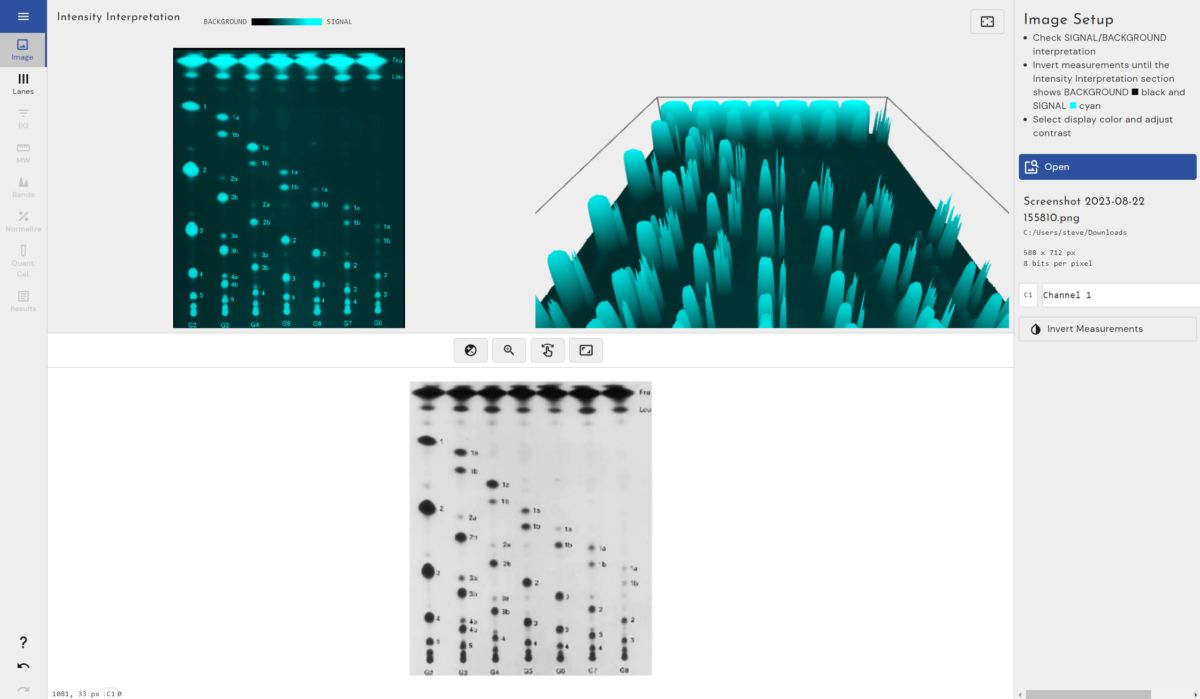
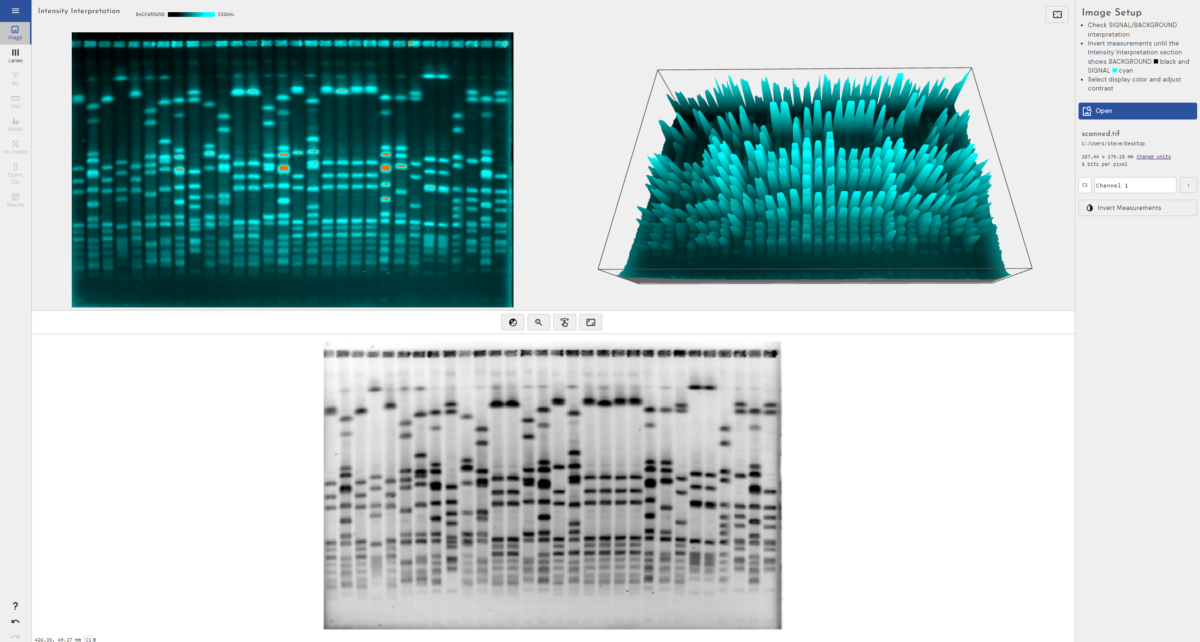
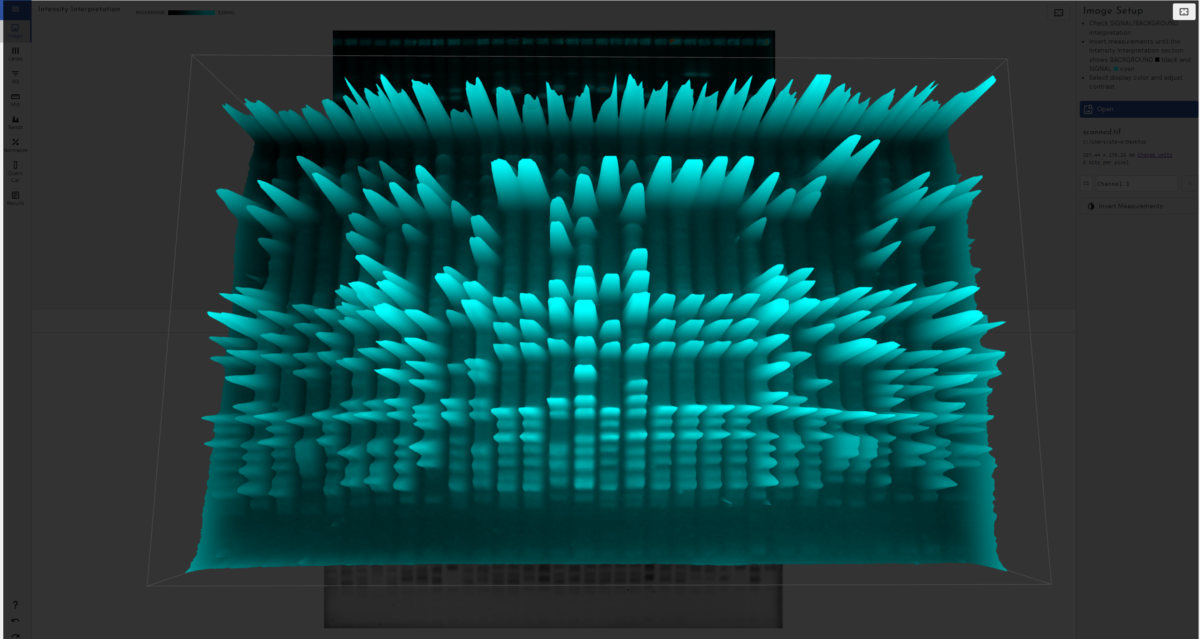
3D view of electrophoresis gel
automatic band detection mode for Western Blot and electrophoresis gels

"Phoretix 1D allows for the fast and accurate analysis of immunoblots, supported by optimal control over quantification parameters allowing for the generation of highly reproducible data. All features are embedded within a user-friendly interface, I especially liked the background analysis features which assists in an unbiased analysis by correcting for irregular background signals."

Jacqueline Kaiser, The University of Melbourne

Compatible with All Imaging Devices

Our software is device agnostic, so can reduce costs as it can be used with all of your existing laboratory equipment regardless of the manufacturer or any additional equipment gained during future business acquisitions.

Phoretix 1D is compatible with (but not limited to) gel documentation equipment produced by Bio-Rad, Cytiva, Azure Biosystems, Thermo Fisher Scientific, Syngene, Vilber and Pop-Bio.

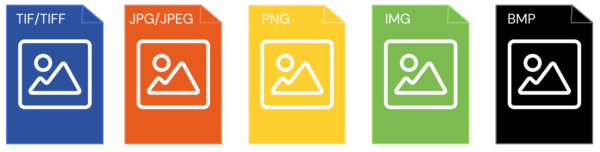
It’s also compatible with all industry-standard image formats:

.TIF/.TIFF

Phoretix 1D supports 8-bit, 16-bit (recommended) and higher uncompressed TIFF images. Multi-page and multiplex TIFFs are supported and each page is interpreted as a “channel” (all of which must have the same dimensions and pixel format).

.JPG/.JPEG/.PNG/.BMP/.IMG

While not recommended because of their low bit-depth and (sometimes) compression artifacts, these image formats can still be analyzed.

This means you aren’t locked in or reliant on one particular equipment manufacturer, reducing your business risk, allowing you greater freedom in your imaging equipment selection and facilitating easier tech transfer between labs.

"I found the Phoretix 1D software very intuitive to use with quite an easy learning curve. As a graduate student, I didn't have previous knowledge of similar software to fall back on and so I was very happy with the ease of use I experienced."

Dayna Wozny, University of Manitoba

Flexible Licensing Options

Here at TotalLab we’ve been working with pharmaceutical customers for decades and we know that some of our users prefer using air-gapped computers to enhance security within their sites. This isn’t a problem, all TotalLab software can be activated easily either online or offline.

Our licensing system licenses a whole computer at once, with no restrictions on the number of users who have access to the software on that computer.

Licenses can be purchased singularly for one computer or we also offer discounts on multiple license purchases at the same time if you want to cover multiple computers across your site; enabling hybrid working to perform analysis outside of the lab or to allow multiple analyses to happen at the same time.

We can also support enterprise licensing for full site-wide licenses covering large pharmaceutical manufacturing facilities and research facilities at a significant discount vs buying singular or multiple licenses.

For pricing and any other licensing related queries please contact us.

21 CFR Part 11 and GMP-Ready for Regulated Labs

Phoretix 1D, along with all TotalLab software, can be integrated into our 21 CFR Part 11/GMP-compliant AuditSafe software to ensure full 21 CFR/ALCOA/GMP/EU Annex 11 compliance for use in regulated industry environments (such as the pharmaceutical industry) where data traceability, accountability, and integrity are critical.

AuditSafe restricts software and data access through secure user sign-ins, granular permissions, audit logs, electronic signatures and image authenticity checks. Click here to find out more.

Full IQ/OQ Validation Packages Available

At TotalLab, we’ve been supporting the world’s largest pharmaceutical companies with highly secure, production-ready versions of our software for over a decade now and enjoy very good relationships across the industry.

We know the importance of properly validated software and how it forms part of your QC journey so we offer a full, in-person IQ/OQ package to accompany the sale of regulated versions of our software

How to Purchase

The best way to ensure you’re purchasing the latest version of Phoretix 1D with the highest level of technical support is directly from us here at TotalLab by using the contact us form. We can accept payment in GBP (£), USD ($) or EUR (€).

We do appreciate that some of our customers prefer sourcing products locally in a local currency or prefer to deal in their native language which may not be English. To facilitate this, TotalLab work with a global network of authorized distributors which you can find here.

Support and Maintenance

At TotalLab we take pride in offering the highest level of support and educational resources to all of our customers. Our team of experts are dedicated to ensuring that you have the best experience possible and we fully comprehend the scientific principles behind both your images and experiments. Pricing for unlimited technical support, training and free updates are included in your license cost – one fee, complete piece of mind. You’ll always be eligible for the latest version of the software on the latest operating systems so there’s no fear of future operating system incompatibility or running insecure, outdated software for critical operations.

We never use call centers – when you need support you’ll speak directly to a member of the TotalLab team. We understand your time is valuable, which is why we aim to resolve your queries as quickly as possible, ensuring minimal disruption to your workflow.

In addition to our exceptional support, we also offer a range of educational resources. Our extensive library of tutorials and guides will provide you with the knowledge you need to use our software effectively. Whether you are a seasoned professional or a newcomer, our resources will ensure that you have the skills you need to succeed.

You can access our video tutorials here:

Phoretix 1D YouTube Video Tutorials

If you have a question about using our software, you can email support@totallab.com and a member of our team will be in touch to help you.

FAQs

Can I install on a machine with no internet connection?

Yes you can. It is called a manual installation and if there is no internet connection on registration then you just follow the instructions to get a license working. If you plan to use the machine offline then make sure it is unplugged on registration.

What Operating Systems can I use?

Phoretix 1D is compatible with Windows Vista, Windows 7, Windows 8,Windows 10 and Windows 11, both 32 and 64 bit versions. It's also compatible with both Intel and M1/M2 and M3 CPU based Macs up to macOS Sequoia

Why does Automatic Lane Creation fail on my gel?

There could be several reasons why this happens. It could be because

The lanes are short or have very few bands

The lanes are too close together so the algorithm cannot split them

The lanes are not quite the same width which is an assumption the algorithm uses

The resolution of the image is very low and there is not enough band information

Using an AOI for lane detection can help (just draw a box when in automatic detection mode) or simply try to create the lanes manually.

How does Molecular Sizing work?

Each lane has its own calibration curve calculated from where the iso-molecular weight lines (grey) cross the centre of a lane. With only one standard lane these curves are usually the same as the lines just run horizontally across the gel. However with more than one standard lane it joins up the bands of the same value and so the lines can be slightly off horizontal depending on the gel. This allows our molecular sizing algorithm to accurately calculate MW even with gels that haven't perfectly horizontally (as is the case with "smiley" or "frowny" gels).

Why use different curve fit types?

The default curve fit is cubic spline. This curve type creates a smooth curve passing through all points. It has no defining equation. This option can be somewhat over sensitive to inaccurate mappings but will guarantee that the results are as expected from where the iso-molecular weight lines(yellow) cross the lanes. First order Lagrange is similar but uses straight lines.


The other main option used historically is the Linear Log equation which is a straight line calculated from the log of the Molecular Size. This is theoretically correct but can lead to misleading results due to any inaccuracy of the curve fit. Even curves with high R2 results can still have problems.

What is the name of the curve fitting algorithm?

We use an iterative algorithm called Levenberg-Marquardt to get the results for the curve fitting equations. Cubic Spline and First order Lagrange are also well defined algorithms.

My image does not look like the image I captured. Why?

A histogram of all pixel values is created. Then the default auto contrast is created from the value of the histogram after 0.5% of all pixels and at 99.5% of all pixels. This stops outliers or scanner noise affecting the result but it can look a little different.


If the image has calibration or an encoding (from Cytiva or Fujitsu scanners) then the converted values are used by default for the image.


Note: Contrast does not affect the values used in any calculations, these are always taken from the raw image data stored at the file level.

My profile is upside down. What can I do to fix it?

Using the "invert measurements" button within the first stage of the workflow you can invert the image to restore your profile.

What file formats can the software support?

The software can load in .tif, .tiff, .jpg,.jpeg, .png, .gif, .gel, .img (Fuji), .bmp files.

When I load in my JPG file the image is inverted.

This occasionally happens as part of the loading function. Just press the invert button on the toolbar to see if reversed again.

What is Band Volume?

This is defined as the total value of all the pixels in a band with background subtracted. The pixels are shown on the image as between the 2 red lines (the band edges). Another way to look at it is as the area under the profile for the band (with background subtracted) multiplied by the lane width.

Where can you get the total volume of all the bands in a Lane?

In the results section of the workflow in the "Lane Information" section.

Resources

Mastering 1D Gel and Western Blot Analysis: A Deep Dive into Normalization with Phoretix 1D

Normalization is the most critical step for achieving accurate, publication-ready quantitative data. In this comprehensive guide, we take a deep dive into the theory and practice of 1D gel and Western blot normalization. Discover the differences between total protein and housekeeping gene methods, and learn how Phoretix 1D software eliminates user bias to automate your entire analysis workflow.

Read More >

Phoretix 1D vs GelAnalyzer

Phoretix 1D outperforms Gel Analyzer with advanced automation, accurate band detection, and regulatory compliance. Discover why labs are upgrading to Phoretix 1D for faster, more reliable gel image analysis in 2025. Experience smarter workflows and precise quantification with this industry-leading gel analysis software.

Read More >

Phoretix 1D User Manual/Guide

Are you currently using or trialing a copy of TotalLab's Phoretix 1D SDS-PAGE analysis software? Find a full user manual/guide here.

Read More >

Image Capture Guide for Gel Electrophoresis Images

Good image capture is critical to guarantee optimal performance of automated image analysis packages and generate reliable scientific data. This technical document provides a brief guide to the range of different image acquisition devices currently in use for gel applications, defines some the important technical factors required to generate digital images of a quality suitable for automated image analysis and recommendations for producing good 2D gel images.

Read More >

How to Read Western Blot

Learn how to read Western blot results with easy, actionable steps. From sample preparation to data analysis, TotalLab's guide covers everything you need for accurate protein detection. Perfect for researchers and lab professionals!

Read More >

Phoretix 1D | Background Removal Techniques For Western Blot

In this demo, we explain the difference between our background removal techniques and how to choose the correct one based on your data.

Read More >

Phoretix 1D | How to Automate Your Western Blot or Gel Electrophoresis Analysis

The automatic analysis features built into Phoretix 1D can save you huge amounts of time in a high-throughput environment and minimise inter-operator and inter-lab variability.

Read More >

Western Blot Troubleshooting Guide

The best methods for troubleshooting Western blots, including solutions for common issues like no signal, high background, non-specific bands, and uneven bands. Improve your Western blotting results with our detailed guide and visual aids

Read More >

What is the Precipitin Test?

Discover the science behind antigen-antibody precipitin reactions and how to analyze them using TotalLab's Phoretix 1D Software

Read More >

How to Calculate Western Blot Normalization

Master Western blot normalization with TotalLab's automated software. Learn about housekeeping protein controls, total protein normalization (TPN), and more.

Read More >