
Secure 21 CFR Part 11 & GMP Compliance in Excel Without Risky Macros Using AuditSafe

Microsoft Excel macros and Visual Basic for Applications (VBA) scripting have long been powerful tools for automating repetitive tasks. Still, they also represent one of the most exploited attack vectors in cybersecurity today. Malicious macros can execute almost any action that other malware can perform, including deploying ransomware, stealing data, and self-propagating through email systems.
How Macro-Based Attacks Work
In a VBA-driven attack, cybercriminals weaponize a Microsoft Office document – such as an Excel spreadsheet, Word document, or PowerPoint presentation – by embedding malicious code that executes when the file is opened. The attack typically begins with users clicking “Enable Content” to activate macros. Once enabled, the macro can download additional payloads, exfiltrate sensitive data, or establish persistent backdoor access to corporate/pharma networks.
The biggest problem with VBA macro attacks is their widespread, customized nature. Toolkits are readily available that commoditize VBA macro usage at scale, and sophisticated attackers can fine-tune their macros to carry out multiple tasks while convincing users that everything is normal. Some particularly dangerous macros can forcibly disable Microsoft Office’s built-in macro protections, allowing attackers to launch repeat attacks after tricking a user only once.
Real-World Examples of Macro Malware Attacks
The Melissa Virus (1999)
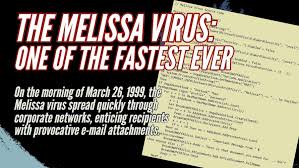
The Melissa virus remains one of the most infamous macro-based attacks in computing history. Released in March 1999 by David L. Smith, this VBA macro embedded in Word documents would automatically email itself to the first 50 contacts in a victim’s Outlook address book. The rapid self-propagation caused massive network traffic increases, forcing companies worldwide to shut down their email systems. Experts estimate Melissa caused hundreds of millions of dollars in damages.

Emotet Trojan Campaigns (2018–2022)
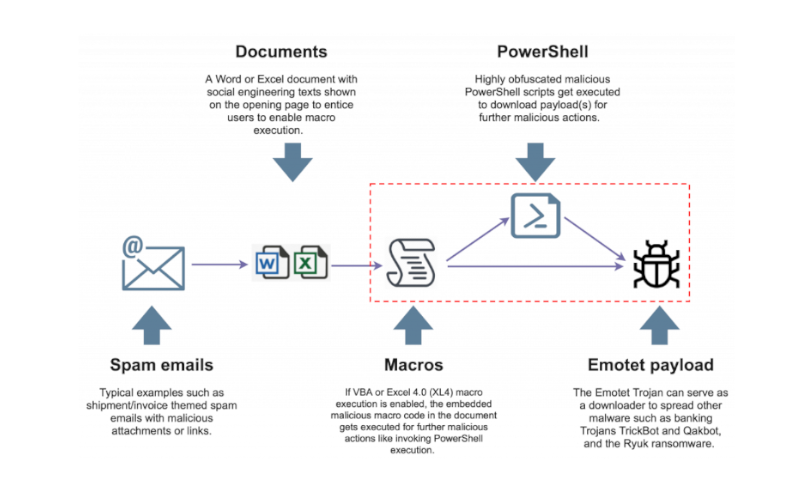
Emotet evolved into one of the most persistent and dangerous macro-enabled threats, primarily spread through phishing emails containing password-protected ZIP files with malicious Excel documents. In early 2022, Fortinet captured more than 500 Microsoft Excel files involved in a campaign delivering the Emotet Trojan, which used a fake message luring victims into clicking “Enable Content” to supposedly view protected content. The malicious macro would automatically execute a function called “Workbook_Open()” when the Excel file opened, writing data to batch and VBS files before downloading the main payload.
Even after Microsoft introduced stricter macro controls, researchers found 776 malicious spreadsheets submitted to VirusTotal in just two weeks (June 2022), all abusing Excel 4.0 (XLM) macros to download and execute Emotet. This attack remains feasible against users running outdated Office versions or those who have manually enabled macros.

Bangladesh Bank Heist (2016)
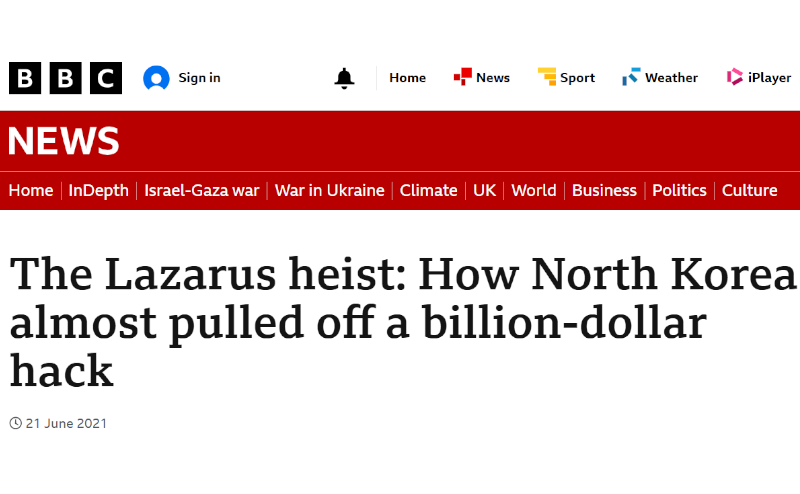
The Bangladesh Bank cyber heist began with spear-phishing emails containing malicious Microsoft Word documents that exploited macros to install malware on targeted systems. Once inside the network, attackers moved laterally until reaching SWIFT terminals, where they deployed specialized malware to manipulate transactions. The attackers successfully transferred $101 million from Bangladesh Bank’s account at the Federal Reserve Bank of New York, with the attack attributed to the Lazarus Group.

Ukraine Military-Themed Attacks (2022–2024)
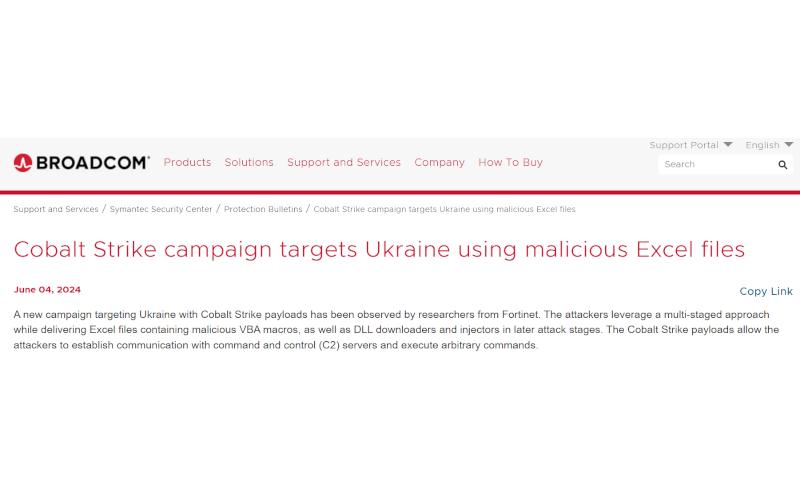
Recent sophisticated attacks have targeted Ukrainian organisations using Excel files embedded with VBA macros to deploy Cobalt Strike payloads. These attacks masquerade as spreadsheets for calculating military personnel salaries, tricking users into enabling macros. The multi-stage attack employs location-based checks during payload downloads to evade analyst scrutiny and uses encoded strings to hide crucial import data while deploying DLL files for persistence.

Why This Is Important for Life Science and Research Organizations
Pharmaceutical companies, laboratories and research facilities often rely heavily on Excel for data management and analysis, making them particularly vulnerable to macro-based attacks. Organisations handling sensitive experimental data, patient information, or proprietary research face significant risks if compromised spreadsheets enter their workflows.
Microsoft’s Response: Blocking Macros by Default
Recognising the severity of the threat, Microsoft announced in February 2022 that it would block VBA macros from the internet by default across Office applications. As Microsoft stated: “VBA macros are a common way for malicious actors to gain access to deploy malware and ransomware”. The change, which took effect from July 2022, affects Access, Excel, PowerPoint, Visio and Word on Windows.
However, attackers have adapted by finding new ways to trick users into re-enabling macros or using alternative delivery methods that bypass default protections. Some campaigns now instruct victims to copy malicious files to Microsoft Office Template locations – trusted folders where macros can execute without warnings.
How is Compliance Achieved in Older Products?
Many existing Excel 21 CFR Part 11/GMP solutions still rely on VBA and macro‑based add‑ins to deliver features like audit trails, electronic signatures, and access control directly inside Excel, but this architecture can introduce security risks as detailed above. These products typically install as plugins that hook into workbook events, intercept save/close actions, and write compliance‑related metadata using VBA code embedded in the Excel environment. From a security and IT governance perspective, enabling macros for everyday GxP workflows expands the attack surface because malicious code can be delivered through seemingly legitimate spreadsheets, macro signing and trust center policies must be tightly managed, and organizations become dependent on continuous validation of opaque VBA logic every time Excel, Windows, or the plugin itself is updated. For regulated teams trying to harden their infrastructure, this makes macro‑centric compliance tools harder to deploy at scale, increases the burden on validation and cybersecurity teams, and can conflict with corporate policies that aim to disable or strictly limit Office macro execution in production environments.
Safer Alternatives for 21 CFR Part 11/GMP-compliant Spreadsheets
Rather than relying on macro-enabled spreadsheets that pose inherent security risks like in other Excel compliance software, consider purpose-built software solutions designed for 21 CFR Part 11/GMP-compliant life science workflows like our AuditSafe software. AuditSafe provides users 21 CFR Part 11/GMP-compliant Spreadsheets without requiring macros whilst still providing robust, validated results with full audit trails without compromising your cybersecurity.
For pharmaceutical companies seeking to reduce their cybersecurity exposure while improving data integrity, transitioning away from macro-dependent Excel compliance software represents both a security and productivity improvement.
If you’re ready to start your 21 CFR Part 11/GMP Compliance journey today, why not have a chat with us to see how TotalLab can help!