
How to quantify a western blot, step by step
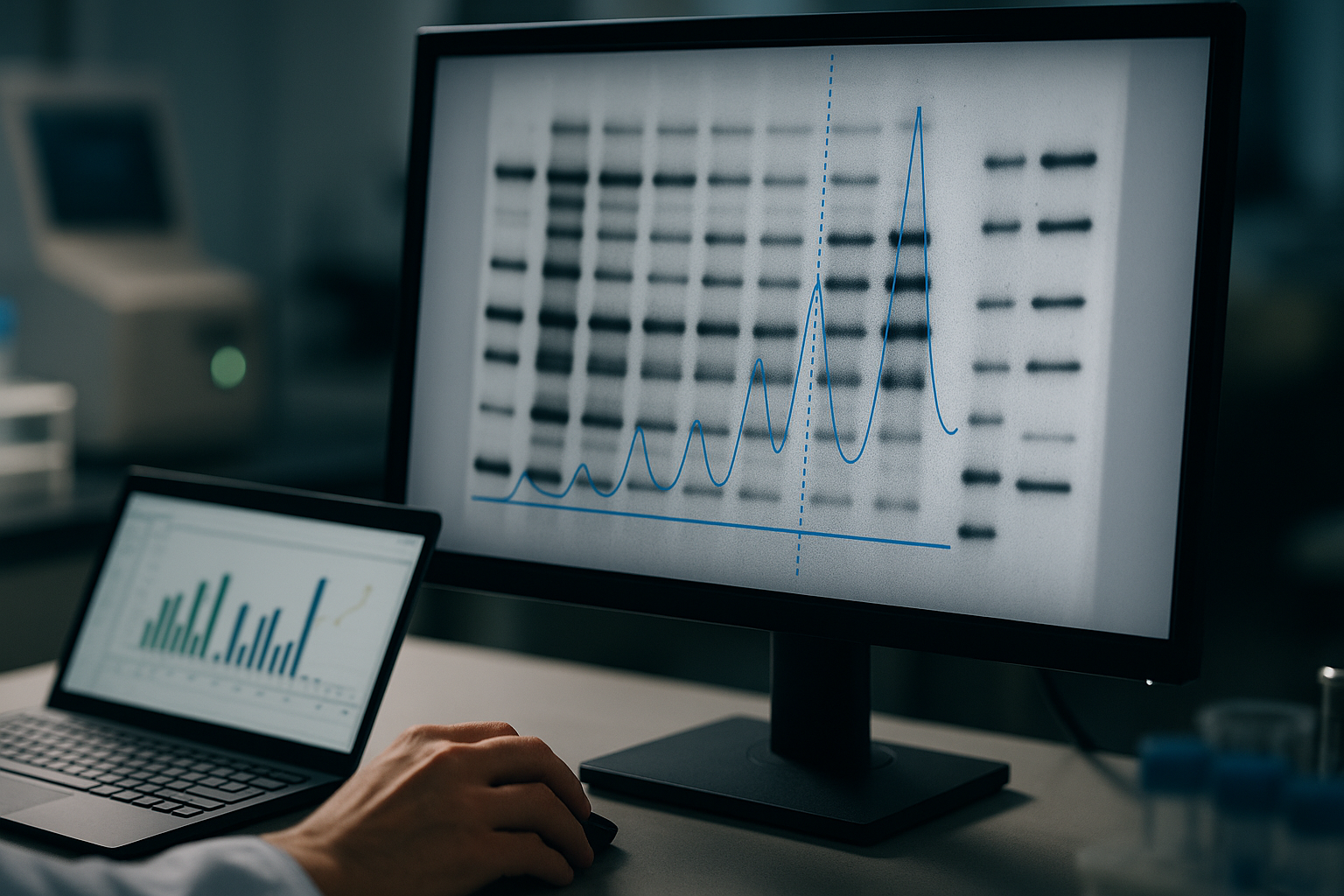
Quantifying a western blot means turning bands into numbers you can compare: the intensity of each target band after background subtraction, divided by a loading control from the same lane, expressed as a fold change against your control and repeated across biological replicates. Journal editors and reviewers now expect blots to be reported this way, as fold changes in protein expression rather than as pictures (ref 1). This guide walks through the ten steps from blot to publishable number, what goes wrong at each one, and where to go for the detail. If you first need to check what the bands on your blot are, start with how to read a western blot.
On this page
- The ten steps at a glance
- Before you run the blot: plan for quantification
- Capture an image you can quantify
- Open the image and check for saturation
- Define lanes and detect bands
- Subtract background
- Measure band intensity
- Normalize to a loading control
- Calculate fold change across replicates
- Report it
- Run all ten steps in one place with Phoretix 1D
- Frequently asked questions

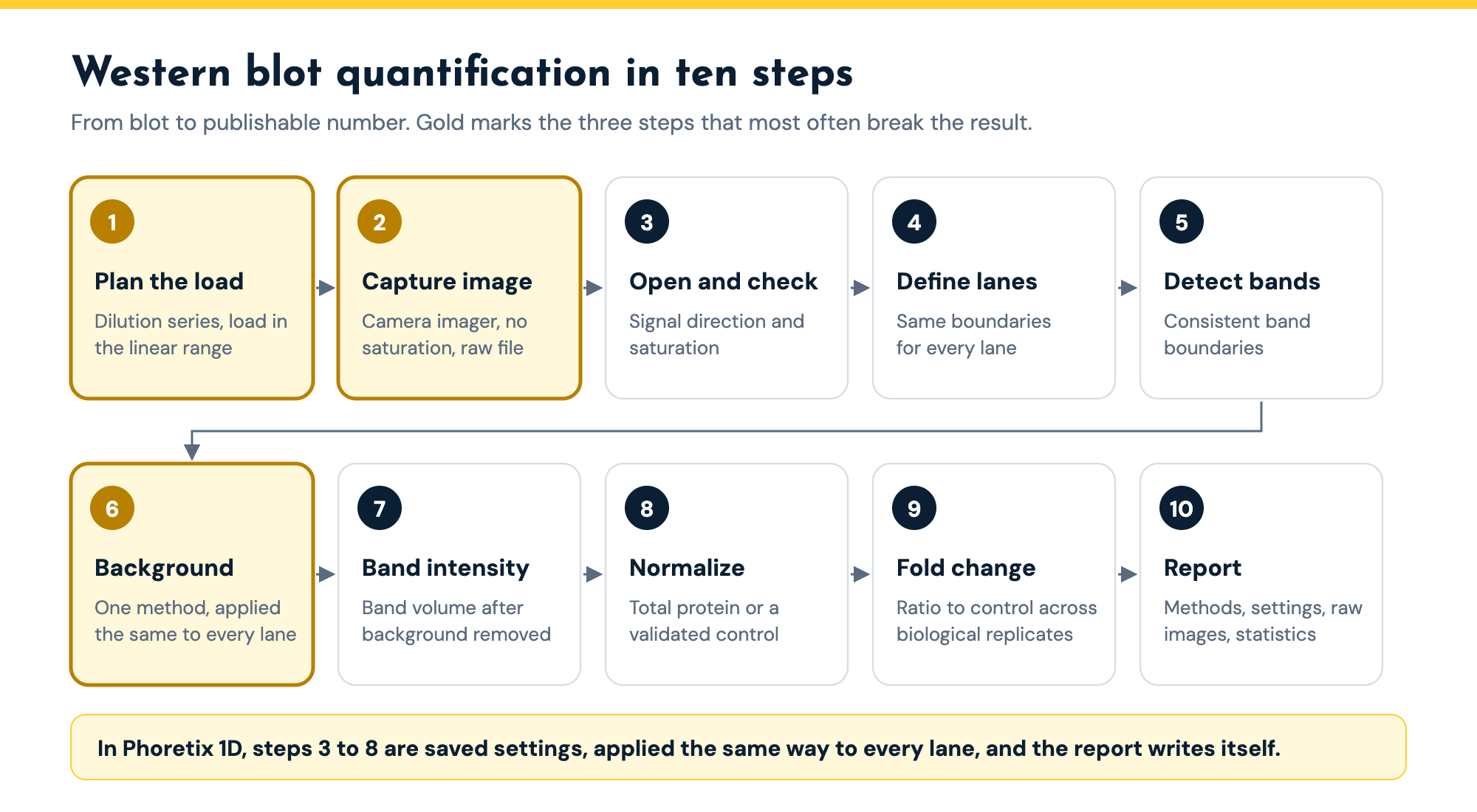
The ten steps at a glance
| Step | What you do | What goes wrong | Covered in depth |
|---|---|---|---|
| 1. Plan the load | Run a two-fold dilution series and load samples in the linear range of each antibody | Fixed loads of 10 to 50 micrograms put abundant proteins in the plateau | This page |
| 2. Capture the image | Camera imager, longest exposure with no saturated bands, raw 16-bit file | Saturated bands; film's narrow linear range; edited or JPEG images | Western blot densitometry guide |
| 3. Open and check | Set signal direction, check for saturation | Inverted signal; saturated bands measured anyway | This page |
| 4. Define lanes | Place lane boundaries on every lane | Hand-drawn boxes that differ between operators and analyses | Phoretix 1D vs ImageJ |
| 5. Detect bands | Find band boundaries consistently | Missed faint bands, noise picked up as bands | This page |
| 6. Subtract background | One method applied the same way to every lane | Inconsistent or boxed background that measures a different patch | Background subtraction guide |
| 7. Measure band intensity | Band volume: integrated intensity after background subtraction | Using peak height or area instead of volume | Western blot densitometry guide |
| 8. Normalize | Divide by total protein or a validated housekeeping protein in the same lane | Housekeeping band saturated or changed by treatment | Total protein normalization guide |
| 9. Fold change | Ratio to control on each blot, combined across biological replicates | One blot reported as a result; technical repeats treated as replicates | Normalization calculator guide |
| 10. Report | Methods sentence, settings, raw images, replicate statistics | Settings not recorded; raw files lost | Western blot densitometry guide |
The ten steps of western blot quantification, what goes wrong at each, and where this site covers it in depth.
Before you run the blot: plan for quantification
Most quantification problems are created before the image is taken. Many labs load a fixed 10 to 50 micrograms of lysate per lane without checking whether that load is inside the range where signal is proportional to protein (ref 2). At those loads abundant proteins are often in the plateau: in one study GAPDH stopped increasing with load above about 0.5 micrograms of HeLa lysate, so every lane looked equally loaded whatever was actually there (ref 2).
The fix is a dilution series. Run a two-fold dilution series of a pooled lysate from your samples, plot band intensity against load for each antibody, and load your samples near the middle of the straight part of the curve (refs 1, 2). Do it once per antibody and sample type, and you know every band you measure afterwards is in its linear range. Plan your loading control the same way: a total protein stain usually stays linear across normal loads, where a housekeeping protein often does not (see the total protein normalization guide).
Capture an image you can quantify
Use a camera-based imager rather than film if you can. In the same comparison, film was linear over a 16-fold range of target protein, against 128-fold for a cooled camera imager (ref 2), so film saturates long before a camera does.
Pick the longest exposure with no saturated pixels in the bands you will measure, and save the raw file: a 16-bit TIFF or your imager’s native format, not a JPEG or a screenshot, and never an image adjusted for brightness or contrast. Editors increasingly ask for the raw image files behind a blot (ref 2), so keep them with your analysis. The western blot densitometry guide covers saturation and the linear range in more detail.
Open the image and check for saturation
The first job any quantification tool has is to read the image correctly, and that is harder than it sounds. Different scanners encode signal in opposite directions, so a tool can import your blot and treat the darkest bands as the lowest values without telling you.
“Because our Phoretix 1D software is vendor neutral, we are open to all different file types, all different scanners, but it means that we don’t have as close a link to a specific scanner. So sometimes when we bring images in, the software interprets zeros as ones, ones as zeros. So we don’t know which is high and which is low signal within an image.”
Phoretix 1D’s invert measurements function fixes this in one step, and the display is kept separate from the data, so you can view black bands on white while the software measures the real signal. Then check for saturation: Phoretix 1D paints saturated areas orange on the image, so you can see which bands hit the detector’s ceiling and cannot be trusted for quantification.
If the image shows a problem, such as high background, smeared or smiling bands or saturation, the western blot troubleshooting guide shows the likely causes and whether you can still quantify the blot.
Define lanes and detect bands
Lanes set the boundaries for everything that follows: the band volumes, the background and the total lane volume used for total protein normalization all come from them. Drawing a box by hand around each lane is where much of the operator-to-operator variation in ImageJ comes from. Phoretix 1D detects lanes automatically in one click, including lanes that lean, bow or drift off vertical, and you can adjust a badly distorted gel by hand.
Bands come next. Automatic band detection with sensitivity presets for strong or faint bands finds them consistently, and you keep the final call: delete a false positive or add a band the algorithm missed.
Subtract background
Background subtraction is one of the most common reasons western blot numbers vary between analyses (ref 1). The background under a band is rarely the same across a blot, and a single box drawn beside each band measures a different patch of membrane from the one under the band. Use one method, applied the same way to every lane, and record it.
Phoretix 1D offers eight background subtraction methods (none, rolling ball, rubber band, constant value, profile minimum, image rectangle, lane edge and manual), set per lane and per channel, with a live preview of the corrected lane profile before you commit. The background subtraction guide explains when to use each.
Measure band intensity
Band intensity is the integrated signal of the band after background subtraction, the band volume, not its peak height or the size of the band. It is the number densitometry produces, and it only means something if the band is in its linear range and the background method was applied consistently. The western blot densitometry guide works through the calculation step by step.
Normalize to a loading control
Normalization corrects for the protein that actually reached each lane. Divide each target band by a loading control from the same lane: either the total protein in the lane, from a stain-free gel or a stained membrane, or a housekeeping protein such as beta-actin or GAPDH. Transfer alone can vary two- to four-fold across a gel (ref 2), so this step matters even when you loaded carefully.
Total protein is the more robust choice for most blots because one protein changing with your treatment cannot move it, and it stays linear at normal loads (refs 2, 3). Housekeeping proteins remain acceptable once you have shown they are stable and linear in your system. The total protein normalization guide compares the stains, and the normalization calculator guide shows both calculations with worked numbers.
Calculate fold change across replicates
Within each blot, divide every normalized treated value by the normalized control value to get the ratio to control. Then repeat the experiment with independent biological samples, not just repeated loading of the same lysate, and summarize the ratios across those replicates. Report the variation as well as the mean, and run statistics on the biological replicates, because a single blot cannot show that a difference is real (ref 2).
| Biological replicate | Normalized control | Normalized treated | Ratio to control |
|---|---|---|---|
| Blot 1 | 1.00 | 1.48 | 1.48 |
| Blot 2 | 1.00 | 1.62 | 1.62 |
| Blot 3 | 1.00 | 1.35 | 1.35 |
| Mean (SD), n = 3 | 1.48 (0.14) |
Combining three independent blots. Each blot gives its own ratio to control after normalization; the result is reported as the mean with its standard deviation across the biological replicates.
This matters because many published changes are small. Two- to four-fold differences are common in western blot papers, and at that size a loading control in its plateau or a background method applied inconsistently can create or hide the whole effect (ref 2).
Report it
Write the methods so someone else could repeat the analysis: the software and version, the background method, the loading control and how it was measured, and how many biological replicates the statistics are based on.
Band intensities were quantified by densitometry using Phoretix 1D version [X] (TotalLab Ltd, Newcastle upon Tyne, UK) with [rolling ball] background subtraction, normalized to [total protein / beta-actin] in the same lane, and expressed as the ratio to control (mean and SD of [n] independent experiments).
Keep the raw images and the settings with the data. Phoretix 1D generates the report from the results tab:
“We can generate a really nice PDF report from this tab, including your images, your settings like your background correction, your band sensitivity settings, everything you’ve used and gathered through this process, to present your results internally, externally, or pass them on to journals.”
The densitometry guide has the full reporting checklist.
Doing all ten steps in one place
In ImageJ with a spreadsheet, every one of these steps is a separate manual decision, and the record of what you chose lives in your notebook if anywhere. In Phoretix 1D they are settings, applied the same way to every lane and saved with the analysis.
| Step | ImageJ + Excel | Phoretix 1D |
|---|---|---|
| Image import | Manual, no saturation warning, signal direction often ambiguous | Vendor-neutral import, invert function, automatic saturation flagging |
| Lane detection | Draw each region of interest by hand | One click, accommodates bent and non-vertical lanes |
| Background subtraction | One global method, applied manually | Per-lane and per-channel, multiple algorithms, live preview |
| Band detection | Manual peak picking | Automatic with sensitivity presets, plus manual override |
| Molecular weight | Build a standard curve by hand in Excel | Pre-loaded ladders, automatic calibration, multi-ladder anchoring |
| Normalization | Type your own formulas | Built-in reference-band normalization and quantity calibration |
| Reporting | Rebuild figures and tables every time | One-click PDF with images, data, and every setting logged |
| Reproducibility | Depends on who ran it | Templated, identical on every run |
For the same blot quantified both ways, step by step, see Phoretix 1D vs ImageJ for western blot densitometry.
Going further. Two more steps are worth knowing about. Molecular weight: Phoretix 1D ships with a library of commercial molecular weight markers and builds the calibration curve when you click the marker lane, and on a distorted gel a ladder at each side acts as an anchor:
“It will join those ladders up and use this yellow line in between to use those two ladders as anchor points. Any discrepancy, any warping of the gel, any smiling or frowning will be mathematically removed using those two anchor points on the extremities of the gel.”
Absolute amounts: where you have known standards on the gel, quantity calibration builds a standard curve and gives an absolute amount for every other band, rather than a ratio.
Quantify your next blot in minutes, not an afternoon
Open one of your own blots in a free Phoretix 1D trial and run all ten steps, from raw image to a PDF report of every setting.
Frequently asked questions
Q: How do you quantify a western blot?
A: Capture an unsaturated image, define the lanes, detect the bands, subtract background, and measure each band’s volume (its integrated intensity). Divide each target band by a loading control from the same lane, such as total protein or a housekeeping protein, then divide the treated values by the control to get the fold change, and combine the result across independent biological replicates.
Q: Is a western blot quantitative or semi-quantitative?
A: It is semi-quantitative unless you show that your bands are in the linear range. With a dilution series to set the load, a camera-based imager, consistent background subtraction and a validated loading control, a western blot gives reliable relative quantification as fold changes between samples. Absolute amounts need known standards on the same gel.
Q: Can I quantify a western blot in ImageJ?
A: Yes. ImageJ’s gel tools measure the area under each lane profile peak. The limits are that lanes, baselines and peak boundaries are drawn by hand and not saved, so results vary between operators, and normalization and fold change are done in a spreadsheet. Phoretix 1D automates those steps and records the settings.
Q: What is the difference between western blot quantification and protein quantification?
A: Protein quantification usually means measuring the total protein concentration of a lysate, for example with a BCA or Bradford assay, so you can load the same amount in each lane. Western blot quantification measures how much of one specific protein is in each sample, from the band intensity, after normalizing to a loading control.
Q: How do you calculate fold change from a western blot?
A: Normalize each target band to its lane’s loading control, then divide each normalized treated value by the normalized control value on the same blot. Repeat with independent samples and report the mean and variation of the ratios across those biological replicates.
Q: What software can quantify western blots?
A: Free general-purpose tools such as ImageJ can, with manual steps. The software that came with your imager is built around that instrument’s images. Dedicated analysis software such as Phoretix 1D opens images from any imager, detects lanes and bands automatically, applies background subtraction and normalization, and reports the settings used.
References
- Taylor SC, Posch A. The design of a quantitative western blot experiment. Biomed Res Int. 2014;2014:361590. doi:10.1155/2014/361590
(Source for: editors and reviewers requesting fold changes; dilution series and loading at the midpoint of the linear range; background subtraction as a common source of variable data; boxed background measuring a different area.) - Taylor SC, Berkelman T, Yadav G, Hammond M. A defined methodology for reliable quantification of Western blot data. Mol Biotechnol. 2013;55(3):217-26. doi:10.1007/s12033-013-9672-6
(Source for: typical fixed loads of 10 to 50 micrograms; GAPDH plateau above about 0.5 micrograms; two-fold dilution series over 12 dilutions; film 16-fold against camera 128-fold linear range; transfer varying two- to four-fold across a gel; editors requesting raw data files; two- to four-fold published changes; need for statistically significant fold differences.) - Ghosh R, Gilda JE, Gomes AV. The necessity of and strategies for improving confidence in the accuracy of western blots. Expert Rev Proteomics. 2014;11(5):549-60. doi:10.1586/14789450.2014.939635
(Source for: normalization standard, linear range, saturation and accurate quantification as the strategies for reliable blots.) - TotalLab. Phoretix 1D product page and tutorial videos
(Source for: invert, saturation display, automatic lane and band detection, eight background methods, molecular weight library and dual-ladder anchoring, quantity calibration, PDF report; quoted passages.)